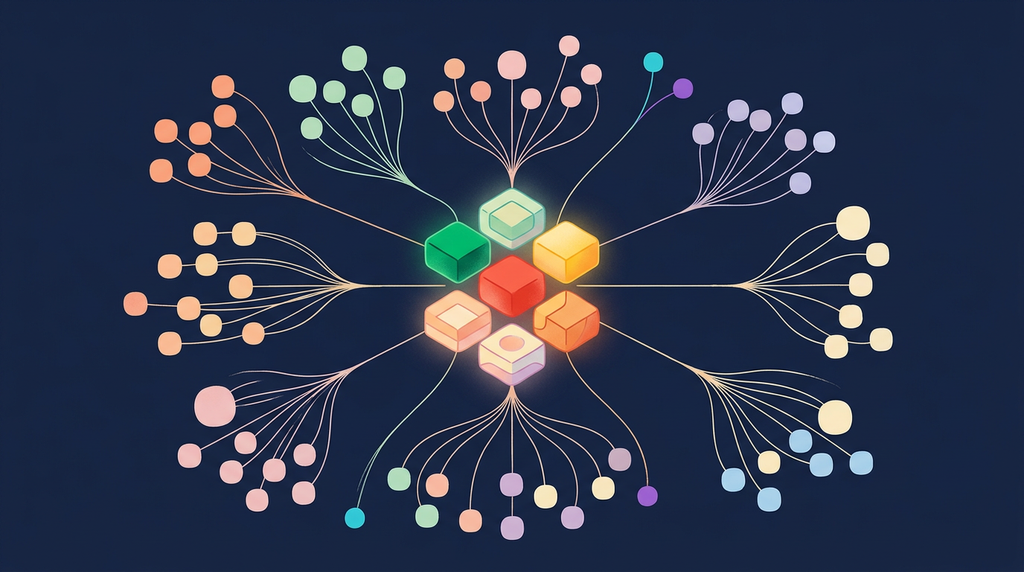
Everyone is talking about "AI agents." Far fewer can tell you what one actually does on a Tuesday. This is a field guide to the real work — the AI agent types teams are building right now, organized by domain, and the small set of patterns underneath all of them.
The word "agent" has been stretched to mean everything from a chatbot to a fully autonomous workforce. That vagueness is expensive: it's hard to fund, staff, or govern something you can't describe. So let's get concrete, with real AI agent use cases instead of hype.
Underneath the marketing, a production agent is almost always a combination of six patterns. Learn the patterns and every "agent" you meet becomes legible — you can see how it's built, where it will break, and whether it's worth building at all.
The short version
Six patterns power every agent: Tool Use, RAG, Routing, Reflection, Planning, and Multi-agent.
29 real agent types across five domains — finance, customer care, insurance, HR, and project management — and each one is just a combination of those six patterns.
Three of them are live on this site. You can run the loan-intake, support-triage, and invoice-approval agents yourself as you read — links are in the tables below.
The skill isn't picking an agent off a shelf — it's matching the right patterns to the complexity of your goal. The last two sections show you exactly how.
The six patterns behind every agent
Before the catalog, the mental model. Nearly every agent in production is assembled from the same handful of agentic AI patterns:
Pattern | Core idea | Where it shows up |
|---|---|---|
Tool Use | The model picks a tool and extracts the parameters to call it | The most common pattern — almost every useful agent has it |
RAG | The model retrieves grounded facts before answering | Policy Q&A, support, onboarding — anything that must be accurate |
Routing | The model chooses between alternate paths | Claims triage, document routing, channel selection |
Reflection | The model reviews and critiques its own output | Settlement validation, resume screening, quality checks |
Planning | The model decomposes a goal into a multi-step workflow | Complex claims, hiring coordination, meeting follow-through |
Multi-agent | Specialized agents collaborate, each owning one job | Hiring pipelines, e-commerce, end-to-end claims |
Keep those six words in your head — Tool Use, RAG, Routing, Reflection, Planning, Multi-agent — and the rest of this guide reads like a parts list. Now let's see them assembled into real agents, domain by domain.
💰 Finance agents
Finance is where agents earn trust fast, because the work is high-volume, rule-bound, and painfully manual. The pattern here is almost always Tool Use — calling verification, calculation, and filing systems — with Planning layered on when the workflow has several dependent steps.
Agent | Primary use | Patterns |
|---|---|---|
Document Workflow Agent | Routes invoices, statements, and emails to the right people for review and approval | Routing |
Loan Verification Agent | Analyzes loan applications and triggers identity, credit, and fraud checks | Tool Use + Reflection |
Payroll Reconciliation Agent | Verifies salary computation, tax deductions, and statutory rules across jurisdictions | Tool Use + Planning |
Tax Filing Agent | Integrates with local tax systems to file correctly per location | Tool Use |
Mutual Fund Valuation Agent | Runs custom fund valuations from holdings, historical prices, and market conditions | Planning + Tool Use |
🎟️ Customer care agents
Customer care is where agents become the front door. The winning designs pair Tool Use (place an order, check stock, draw a contract) with Multi-agent hand-offs and a clean escalation path to a human when the conversation gets hard.
Agent | Primary use | Patterns |
|---|---|---|
Sales Agent | Chats with customers, recommends products, draws contracts, collects payment, escalates to humans | Tool Use + Multi-agent |
Demo Agent | Builds customized demo videos from customer history and requirements | Tool Use |
Shopping Agent | Collects requirements, researches vendors, narrows the field, and recommends | Planning + Multi-agent |
Technical Support Agent | Takes complaints, queries logs and troubleshooting guides, updates tickets, resolves issues | Planning + Tool Use |
Sales Fulfillment Agent | Checks stock, initiates and tracks shipments, keeps the customer informed | Tool Use |
🛡️ Insurance agents
Insurance is a showcase for the full stack, because a single claim touches routing, fraud analysis, planning, and self-checking. Notice how the Automated Claims Agent stacks three patterns at once — we'll pull it apart step by step right after the table.
Agent | Primary use | Patterns |
|---|---|---|
Fraud Detection Agent | Analyzes policy, profile, and claim data to flag possible fraud | Tool Use + Reflection |
Personal Policy Creator | Tailors policies to customer history, coverage needs, and affordability | Planning + Tool Use |
Compliance Reporting Agent | Ensures requirements are met and files documentation with the right jurisdictions | Tool Use |
Claims Routing Agent | Sends claims to automated or manual processing based on complexity | Routing |
Automated Claims Agent | Verifies claims, detects fraud, checks incident reports, produces and validates a settlement | Planning + Tool Use + Reflection |
Customer Support Agent | Handles policy questions and claim issues for customers | Tool Use + RAG |
One agent, three patterns: inside the Automated Claims Agent
Tables tell you what an agent does. To see how the patterns actually combine, it helps to slow down and watch one work. Take the hardest agent in the insurance list — the Automated Claims Agent — and follow a single auto-accident claim through it.
Planning decomposes the goal. "Settle this claim" isn't one action — it's a sequence. The agent first breaks it into ordered steps: pull the policy, validate coverage, retrieve the incident report, screen for fraud, calculate the payout, and produce a settlement. Planning is what turns a vague goal into a checklist the agent can actually execute.
Tool Use executes each step. Now the agent acts. It calls the policy system to confirm the claimant is covered for this incident, queries the claims database for the report, hits a fraud-scoring service, and runs the payout calculation against the policy's limits and deductibles. Each step is a real system call — the agent picks the right tool and fills in the parameters from the claim data.
Reflection checks the work before a human sees it. This is the pattern that separates a demo from production. Before the settlement goes out, the agent re-reads its own output: does the payout fall within policy limits? Does the fraud score justify auto-approval, or should this route to a human adjuster? Is there an internal contradiction — a coverage date that doesn't match the incident date? If the self-review fails, the agent flags the claim instead of paying it.
Notice what happened: no single "smart" step did the work. Planning gave it a plan, Tool Use gave it hands, and Reflection gave it judgment. Strip out Reflection, and you get a fast agent that confidently pays fraudulent claims. Strip out Planning, and you get a tool-caller with no idea what order to do things in. The capability lives in the combination — which is exactly why "which patterns?" is the design question that matters.
👥 Human resources agents
HR is the clearest example of a multi-agent workflow: one coordinator orchestrates a team of specialists across the whole hiring funnel. It's also where RAG shines — the agents answering policy and benefits questions have to be right, so they retrieve grounded facts instead of improvising.
Agent | Primary use | Patterns |
|---|---|---|
Job Description Creator | Writes job descriptions from skill requirements, company messaging, and compliance inputs | Tool Use |
Resume Screening Agent | Filters applicants by suitability to the role and its requirements | Reflection |
HR Process Management Agent | The master coordinator running the hiring process across agents and people | Multi-agent + Planning |
Candidate Sourcing Agent | Sources candidates via job postings or direct outreach | Tool Use |
Scheduling Agent | Schedules interviews and tracks candidate progress | Tool Use |
Compensation Agent | Generates compensation offers for shortlisted candidates | Planning + Tool Use |
Employee Onboarding Agent | A virtual buddy guiding new hires through onboarding and logistics | Tool Use + RAG |
HR Assistant | Answers employee questions about policies and benefits | RAG + Tool Use |
📋 Project management agents
Project management agents turn scattered project data into decisions. The recurring combination is RAG + Tool Use — read the boards, plans, and docs, then act: write the status report, schedule the follow-up, assign the resource.
Agent | Primary use | Patterns |
|---|---|---|
Project Analysis Agent | Reads scrum boards, plans, and allocation to produce a status summary | RAG + Tool Use |
Document Creation Agent | Builds status reports and presentations from templates and project docs | Tool Use |
Action Items Agent | Executes meeting action items — scheduling, messaging, task creation | Planning + Tool Use |
Resource Allocation Agent | Assigns resources to open work by skills, availability, and priority | Planning + Tool Use |
Project Assistant Agent | Answers ad hoc questions about requirements, design, defects, and status | RAG + Tool Use |
How to read the catalog
Look across all five domains and a few things jump out — and they're the practical lessons worth taking with you:
Tool Use is the workhorse. Nearly every agent has it. If your "agent" can't reach out and do something in a real system, it's a chatbot with extra steps. The value is in the actions, not the conversation.
RAG is the trust layer. The moment an agent has to be right about your policies, benefits, or documentation, retrieval shows up. Ungrounded answers are fine for brainstorming and dangerous for compliance.
Reflection is cheap insurance on high-stakes output. Fraud flags, settlements, resume screens — anywhere a wrong answer is expensive, a second pass where the model critiques its own work pays for itself.
Planning and Multi-agent are what "complex" actually means. The hardest agents in the catalog — automated claims, the hiring coordinator — aren't smarter; they're orchestrated. They decompose a goal and coordinate specialists. That's an architecture decision, not a bigger model.
Choosing patterns for your own use case
You don't pick an agent off a menu — you assemble one from patterns. A simple way to scope any candidate use case:
Does it need to act in a real system? Then it needs Tool Use. (Almost everything does.)
Does it have to be factually correct against your data? Add RAG.
Is there a fork in the road — automated vs. manual, tier 1 vs. tier 2? That's Routing.
Is a mistake expensive? Add Reflection so the agent checks itself before a human ever sees the output.
Is the goal really several dependent steps? You need Planning, and if those steps span different specialties, Multi-agent.
The complexity of your agent should match the complexity of the goal — no more. The most common failure mode we see isn't an agent that's too simple; it's a five-agent orchestra built to do a job one well-scoped Tool Use agent would have nailed.
The takeaway
"AI agent" isn't one thing — it's a small vocabulary of patterns, combined to fit a job. Tool Use to act, RAG to stay grounded, Routing to decide, Reflection to self-correct, and Planning plus Multi-agent to orchestrate the hard stuff. Every agent in this guide, in every industry, is some mix of those six words.
Once you can name the patterns, the hype falls away, and the real question comes into focus: which of my workflows is expensive, repetitive, and rule-bound enough to hand to an agent — and which patterns does it actually need? Answer that well, and you don't get a demo. You get leverage.
At Acacia Tech Group, we help data and AI teams go from "we should use agents" to a shortlist of the highest-leverage use cases and a design that ships. If you're trying to figure out where agents actually fit in your operation, let's talk.